Stopwatch Timer
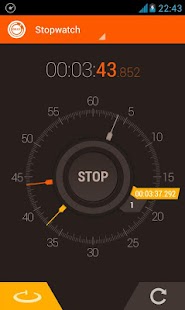
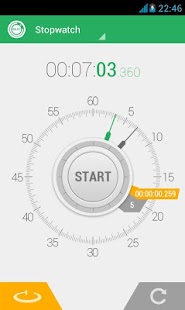
To record a lap press the left button, a lap hand will be added to the analog view, and to reset press the right button.
The buttons are placed to only use one hand.
Laps List:You can access the lap list with the dropdown menu on the top or just sliding your finger to the left.
On this lap list you can choose to see the lap time or total time.
Lap List can be saved to the sd card, shared to social media or be emailed.
Timer (Countdown) mode:Set the timer fast and easy, dragging the second and minute hands, or use the classic input method pressing the left button.
To reset press the right button, one tap will restore the last used time, long press will reset the timer to 0.
You can customize the alarm that goes off when the time is up, choose vibration, personalize sound, and alarm duration from 2 seconds to 30 minutes.
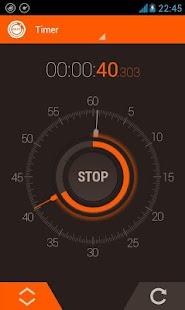
This mode has a circular arc that helps to visualize the remaining time.
Timer (Countdown) presets:Access the Timer presets with the dropdown top menu, or slide your finger to the left.
Here you can create and edit your most used timers.
The Stopwatch and Timer can also be controlled with the volume UP and DOWN keys, this option is available on the preferences screen.
Design:
The design was made to make you feel that you are holding a real stopwatch and timer on your hands, with beautiful themes and animations.
There are 12 themes to choose, with clean Holo android designs and classic retro.
FEATURES RESUME:
- Stopwatch (Chronometer) and Timer (Countdown) modes.- Digital and Analog feedback.- Infinite laps count.- Send laps trough email.- Stopwatch and Timer runs in background.- Color themes.- Supports multiple screens.- Customizable Alarm duration for timer.- Supports custom ringtones.- Multiple audio outputs (Ringtone, Media, Alarm).- Timer presets.- Control Stopwatch and Timer with volume keys.-----------------------------------------------
if you find any bugs, or get a Force Close please email me at [email protected] with android version, app version and device.Suggestions are welcome too ;)
Thank you!
LANGUAGES:EnglishRussian (Thanks Igor)Estonian (Thanks Rivo)German (Thanks Marijo)Simplified and Traditional Chinese (Thanks Tianhao Wu)French (Thanks Yves Le Layo)Spanish
PERMISSIONS EXPLANATION:
VIBRATE: For buttons and timer alarm.WAKE_LOCK: Prevent device from sleeping.INTERNET: To display ads and update license.ACCESS_NETWORK_STATE: Checks if the device has internet.DISABLE_KEYGUARD: Disables keylock to display alarm window.
About Stopwatch Timer
- Package name (App ID)
- com.hybrid.stopwatch
- Available on
- Google Play
- Price
- Free
- Version
- v2.0.8.4
- Developer
- woodsmall inc.
Looking for the Stopwatch Timer APK?
The safest way to get Stopwatch Timer (com.hybrid.stopwatch) on your Android device is to install it directly from Google Play — you'll always get the latest official version, automatic updates, and no risk of modified or infected APK files from third-party sites.
Music Features
Enjoy high-quality music streaming and playback features.
Social Features
Connect and share with friends and the community.
Gaming Features
Enjoy immersive gaming experience with various game modes.
See Stopwatch Timer in Action
Frequently Asked Questions
Is Stopwatch Timer free?
Yes, Stopwatch Timer is free to download and install on Android through Google Play.
How do I install Stopwatch Timer on Android?
Open Google Play on your Android phone or tablet, search for Stopwatch Timer by woodsmall inc. or tap the Google Play button on this page, then tap Install. The app downloads and installs automatically.
What is com.hybrid.stopwatch?
com.hybrid.stopwatch is the App ID (package name) of Stopwatch Timer on Google Play. Every Android app has a unique package name, and it is the safest way to verify you are installing the official app.
Is Stopwatch Timer safe to download?
Installing Stopwatch Timer from Google Play is the safest option: you get the official version published by woodsmall inc., verified by Google Play Protect, with automatic updates. Avoid APK files from unofficial third-party sites.

Get Stopwatch Timer Today
Stopwatch Timer for Android — free download on Google Play.
Compatible with Android phones and tablets — available on Google Play.
Ask AI about this app
Get instant answers about features, tips and more from popular AI assistants.